SideKick
AI aiding in the search for threats.
Problem Statement
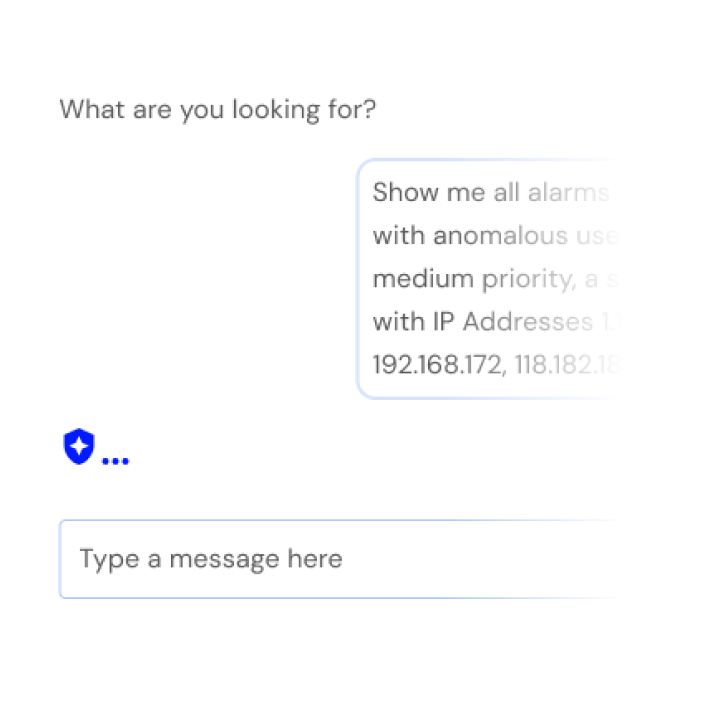
During user interviews and contextual inquiries, we found that the time it took for analysts to search for specific events and alarms within the system was a pain point we could eliminate for them. We looked for alternatives to the current “scroll and click” behavior of the search and filter rail in the platform. A technology that we could leverage into the platform was an AI assistant nicknamed SideKick.
Analysis
The team began competitive analysis from companies like Sentinel One and Crowd Strike to determine if a similar AI interface could be adopted. After our heuristic review of competitors’ solutions, we internalized our findings and for a possible solution that fit best within USM’s page templates. We considered three possible implementations of an assistant:
- One, a chat field floating over the existing UI.
- Two, a standalone section where analysts could search through events and alarms using natural language.
- Three, a copilot interface to leverage the learned search and filter location so the analyst could see changes in the table and data visualizations, intuitively.
We created wireframe prototypes to test the usability and gather feedback quickly. Due to the substantial investment to implement SideKick, I determined we would test with two rounds, within subject and a total of 36 participants. Afterwards we had conclusive evidence that the third option was the strongest solution.
Solutions
To allow flexibility for users to switch between current and new functionality for searching events and alarms, we designed a toggle to swap the traditional and AI interfaces. Due to the behavioral complexity of feature we leaned on engineering to implement a basic prototype to test with users. The prototype pulled realtime data and showed participants during testing how SideKick could simplify their workflow. Initial time on task benchmarks found analysts taking ~50% less time searching with SideKick. The baseline was 5-10 minutes using the traditional search interface, depending on the complexity of the parameters. With SideKick analysts were configuring search results in 2-5 minutes. After testing with 20 participants, we found that additional flexibility so users could toggle between the traditional and AI interfaces would allow fine tuning directly.
50% less time searching with SideKick
Outcomes
After implementing SideKick into the search and filter rail for events and alarms, we found that the assistant could be used in any search and filter template in the platform to simplify searching for users. The search and filter page template is one of three major page templates — which made the SideKick Search Assistant a powerful addition to the platform. Sales found that the functionality was a substantial selling point for both existing and perspective customers. The project was deemed a great success across the entire company and brought deserved acclaim to the Design Team.
For Later
With more funding and time we’re looking to add additional functionality to help analysts during their interactions with SideKick. Inline tools to search through existing alarms, events and investigations during prompt entries would help with cognitive load so users won’t have to memorize or copy/paste numeric IDs during searching. Another is dictation so users can use voice to conduct searches. We’re also looking to allow SideKick to provide suggestions pertaining to the users searches to help analysts take actions on mitigating threats and conducting investigations.